



Get your pricing estimate
Powering your progress
The MEX team is here to help you get the most out of your maintenance software. From tailored training and hands-on support to expert consulting, secure data hosting, and custom engineering, our services are designed to help your team work smarter and maintain momentum.


MEX customer support
Customer service is part of who we are. With decades of experience and a dedicated support team, MEX helps you keep operations running smoothly—resolving issues quickly and helping you make the most of your system.
.avif)

Annual maintenance agreement
Gain priority access to expert assistance, system updates, and exclusive tools.

Limitless assistance
Get unlimited phone and email support from technical specialists during business hours (AEST).

Cost-efficient upgrades
Stay up to date with free software upgrades included in your AMA to keep your system current and compliant.

Priority bug resolution
Receive expedited bug fixes to keep costly downtime to a minimum.

Informative newsletters
Get the latest MEX news, updates, and product insights delivered directly to your inbox.

Comprehensive reports library
Access an exclusive, comprehensive library of reports and templates.

Have a question about MEX? Contact us for assistance.
.jpeg)
MEX training
Whether you’re new to MEX or expanding your expertise, our interactive courses help you master every part of the system. From introductory sessions to advanced modules, MEX training empowers your team to work efficiently and maintain accuracy.

Public training
Join online group sessions to learn the fundamentals of MEX CMMS and get hands-on guidance from our expert trainers.

Private training
Organise a private virtual classroom for your team and learn MEX CMMS your way, with content tailored to your business.

One-on-one training
Book a focused session with a MEX consultant for individual guidance, troubleshooting, and more.
MEX consulting
Our consultants bring practical, hands-on experience to help you get more from your system. We’ll review your setup, streamline workflows, and ensure MEX CMMS aligns with your operational goals—improving data quality, reporting accuracy, and day-to-day efficiency across your maintenance program.
.avif)

Health checks
Review control files and settings to confirm your system’s running at peak efficiency.

Security recommendations
Assess user permissions and controls to maintain visibility, compliance, and security.

Asset register recommendation
Enhance asset structure, hierarchy, and naming for clearer, more reliable management.

Work order tidy up
Clean up work history, align schedules, and improve maintenance record accuracy.

Inventory clean-up
Streamline catalogues, stock levels, and purchase orders for smoother inventory control.
Region setup
Set up multi-site management structures that support consistency and best practice.

Implementation guide
Access expert guidance to configure and roll out your MEX CMMS system with confidence.

Reporting
Build automated reports and scheduling to improve data visibility and decision-making.

Importing data
Get expert help importing or exporting asset, inventory, and operational datasets.
Reach out about training, support, or services. We’re here to help.
MEX engineering
Our engineering team works with you to customise MEX CMMS for your operation. From tailored dashboards and data imports to third-party integrations, we adapt the system around your workflows, ensuring your CMMS evolves with your business and delivers lasting value.
Data imports
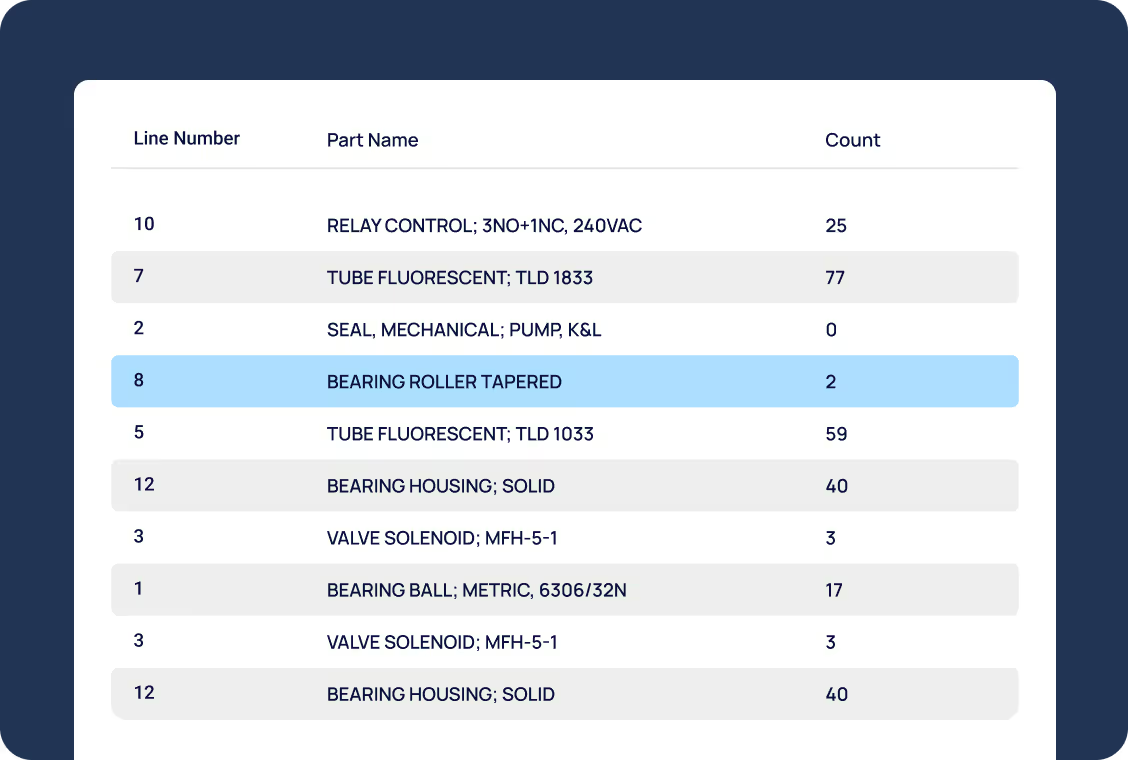
Bring in bulk data like assets or stock with help from our engineering experts, ensuring clean, accurate imports.

Custom reports
Access custom-built reports, dashboards, and KPIs designed to track what matters most to your operation.

Integrations
Connect MEX CMMS with your existing systems—from finance to SCADA—to keep your data aligned and workflows seamless.
Looking for engineering services? We'll point you in the right direction.




.svg)




MEX CMMS FAQs
Answers to commonly asked questions about MEX features.
If it’s convenient for you and your team, you’re welcome to contact us about holding your training at our office based in Fortitude Valley, Brisbane.
Should the situation permit, Private Training can be held at your work place for any of our customers.
All Australian States and International customers can conduct online private training sessions.
The cost of Private Training differs from customer to customer.
Contact our training team and we can create a personalised quote for you. General costing is based off:
- Travel Costs
- Number of Hours or Days
- IT Set Up & Equipment Hire - If applicable
MEX runs the below courses for both public and private training. Any of the below courses can be customised to suit your specific needs.
• Introduction to MEX
A two day intro course that covers the Asset Register, Work Orders & History, Preventative Maintenance, Readings, Security and all other essential functions.
• Advanced
This one day training course explores and builds upon the features and modules of MEX CMMS that are not covered in the two day Introduction to MEX course.
• MEX Stores
The one day Stores course will explore the MEX Stores, helping you make full use of all the features and functionality of the built in Inventory module.
• Report Writing
This one day Report Writing course is for MEX CMMS users who want to design, develop or modify their own basic or advanced reports.
• Regions Training
The Regions course was created to provide an overview of how to use MEX CMMS regions and perform day to day tasks when working with your system.
• Tradesman Training
The course primarily focuses on the Work Order process, allowing these users to be responsible for recording their own work-related activities in the system.
Private Training is a great opportunity to have a MEX trainer work with multiple staff members at once. Private Training can be held when you initially purchase MEX CMMS, or when you have new staff members, or when you simply require a refresher course.
Our training calendar is generally booked out 4 - 6 weeks in advance, so if you’re thinking about training give us a call as soon as you can.
Set your team up for success
From training to consulting, MEX gives you the tools and expertise to keep your maintenance running smoothly. Discover how our hands-on service helps teams perform at their best.